How to install
the app on your
TV device?
Step 1
Access the Play Store and download the app
"Downloader by AFTVnews"

Downloader by AFTVnews
Search and install from the Play Store
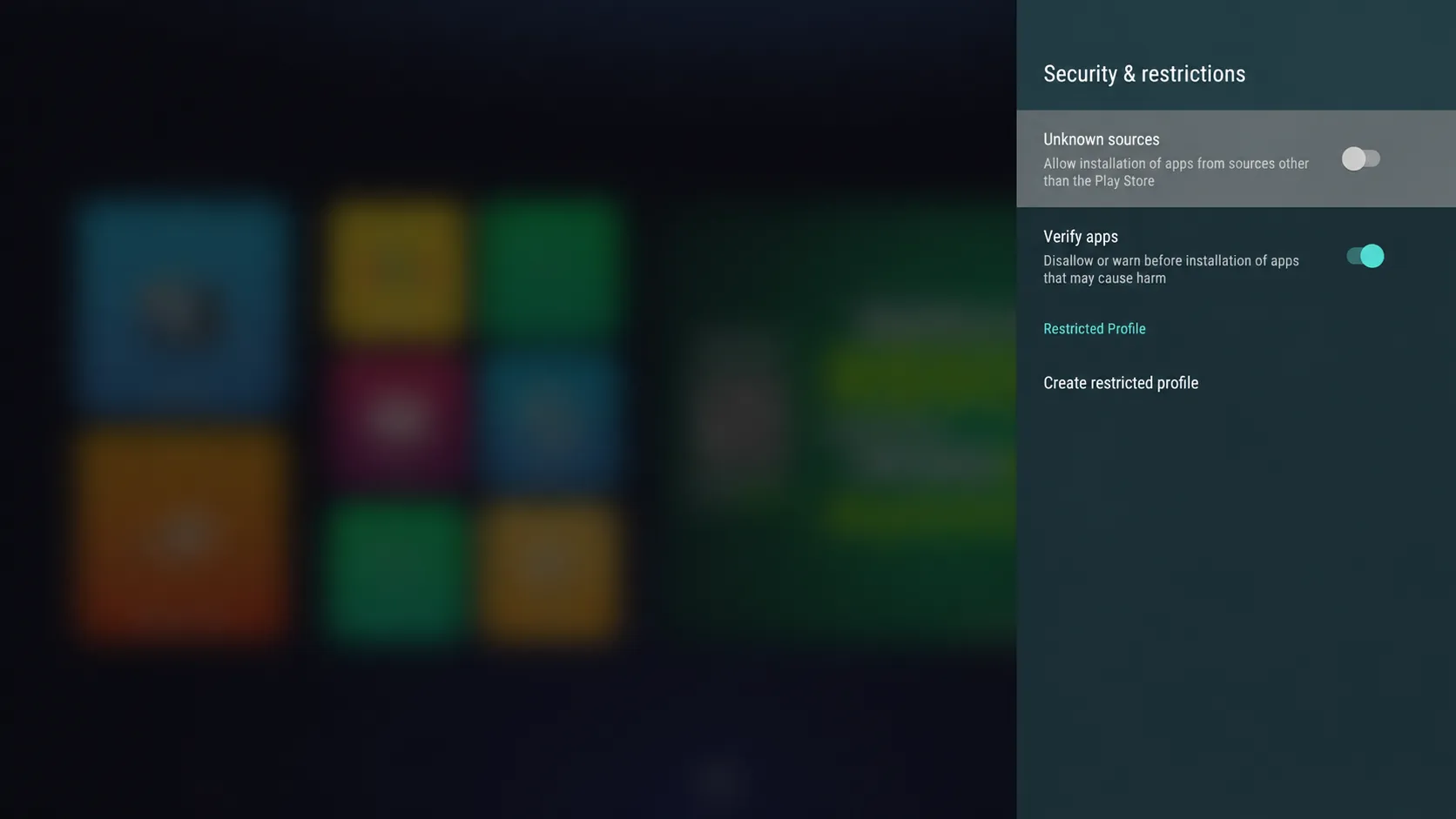
Step 2
Go to Settings > Security & Restrictions >
Enable apps from unknown sources.
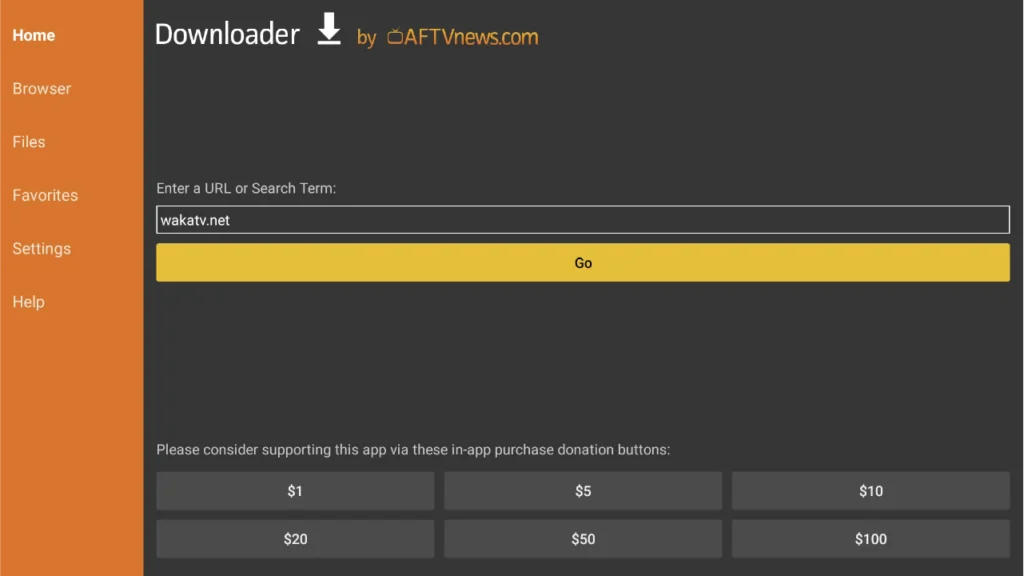
Step 3
Open "Downloader by AFTVnews" and type
8327958 to install the app.
Enter downloader code 8327958 if you need to type it manually.